๐Ÿ”Ž Built for Upwork freelancers

See every Upwork job clearly.

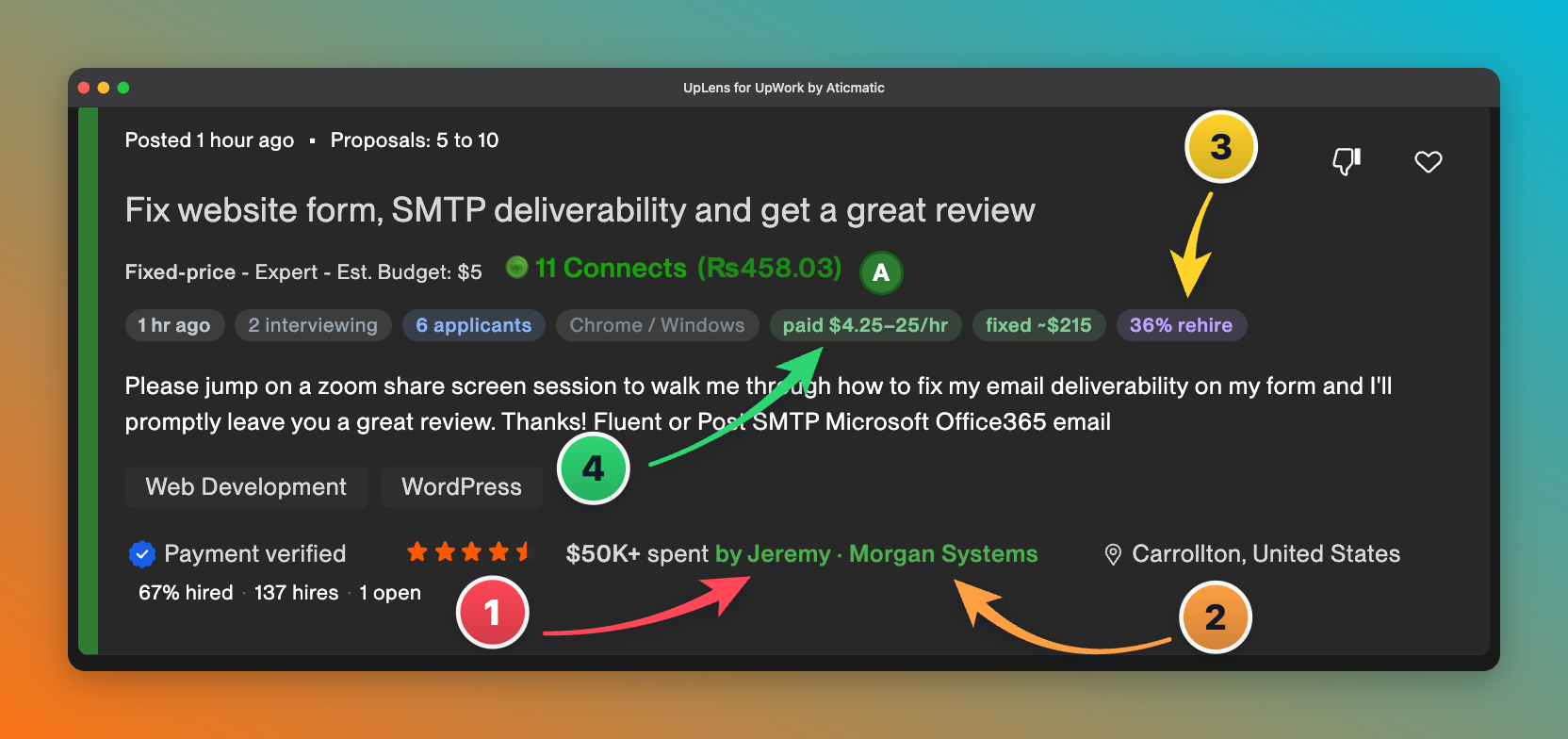
UpLens is a Chrome extension that surfaces the insights that matter โ€” client history, job quality signals, and red flags โ€” right where you browse, so you bid smarter and win more.

No account required ยท Works on every Upwork job page

A sharper view of every listing

UpLens overlays the details Upwork buries, turning noisy job feeds into clear, confident decisions.

๐Ÿ“Š

Client Insights

Instantly see hire rate, spend history, and reviews so you know who you're really bidding to.

๐Ÿšฉ

Red-Flag Detection

Automatic warnings for low budgets, vague scopes, and clients who rarely hire.

โšก

Quality Score

Each job gets an at-a-glance score, so you spend your connects only where they count.

๐ŸŽฏ

Smart Filtering

Hide the noise and highlight jobs that match your skills, rate, and availability.

๐Ÿ•’

Time Saver

Screen listings in seconds instead of clicking through dozens of dead-end posts.

๐Ÿ”’

Private by Design

Everything runs locally in your browser. No logins, no tracking, no data resold.
Up and running in seconds

Three steps between you and a smarter Upwork feed.

1

Add to Chrome

Install UpLens from the Chrome Web Store with a single click.

2

Open Upwork

Browse jobs as usual โ€” UpLens activates automatically on every listing.

3

Bid smarter

Read the insights, skip the duds, and apply where you'll actually win.

Bring UpLens to your next bid

Join freelancers who screen jobs faster and win more often.

๏ผ‹ Add UpLens to Chrome